

Basic mode (also called Essentials) is the easiest way to grow mushrooms in your Flush: pick the preset for your species and the cabinet dials in the climate for you — no manual temperature or humidity tweaking needed.
Choosing a mushroom preset
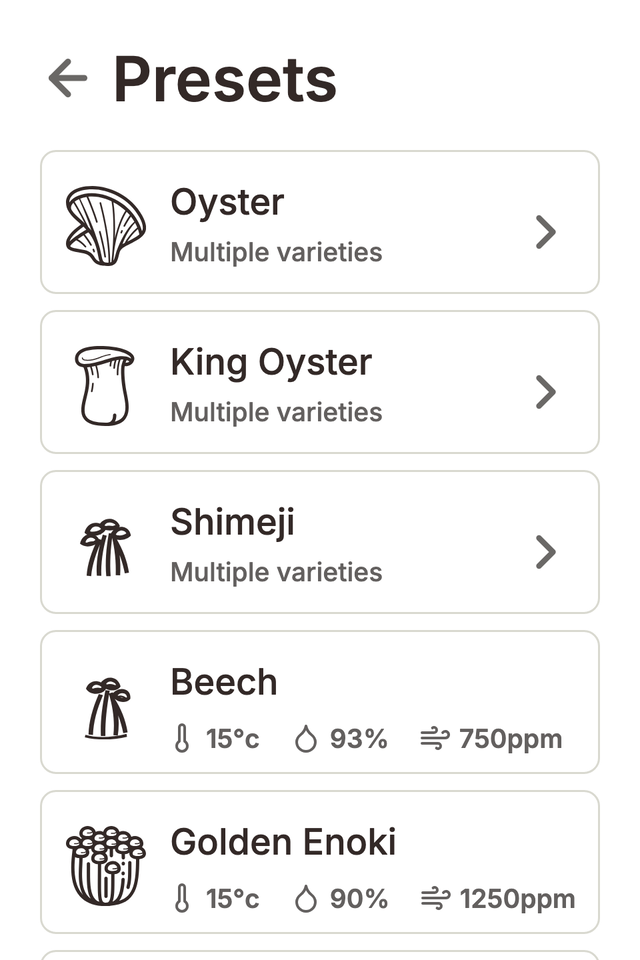
From the Home screen, open Presets. Presets are grouped by mushroom family — Oyster varieties, King Oyster, Shimeji, and more. Choose the one that matches the grow block you loaded and the unit immediately starts holding the right temperature, humidity, and fresh-air balance for that species. Every preset is tuned to the fruiting conditions each mushroom loves, so there's nothing else to set up.
Reading the Home screen
Home shows your current preset and the live growing conditions in the chamber — temperature, humidity, and fresh air. If a reading is out of the ideal band, the unit is already working to bring it back — you don't need to do anything. That's the whole point of Basic mode: load your block, pick a preset, and let the Flush handle the climate control.
Switching to a different species
Growing something different next time? Just choose a different mushroom preset when you load the new grow block. You can browse presets any time from Home or Settings → Presets.